
101
Deluxe King
Hotel and short-stay operators / room quality checks / fewer complaints
RoomReady catches the fault before your guest does, and gives you the record to prove it. After check-out, Front Desk triggers a two-team room check in one tap. Problem rooms are held before the next guest walks in.
The real cost
A leaking tap, faulty light, blocked basin or weak air-conditioner may only cost a little to repair. But if a guest walks into the room and discovers it first, the problem is no longer maintenance. It becomes dissatisfaction, a room change, a refund, a bad review and a reputation risk.
Insights
Short reads you can share with owners, managers and front desk teams when a small room fault needs to be taken seriously before the next check-in.
Bathroom leak / guest safety / reputation risk
If your team finds the leak, it is maintenance. If the guest slips first, the cost can move beyond repair: injury, claim pressure, social posts and reputation damage.

How RoomReady holds problem rooms
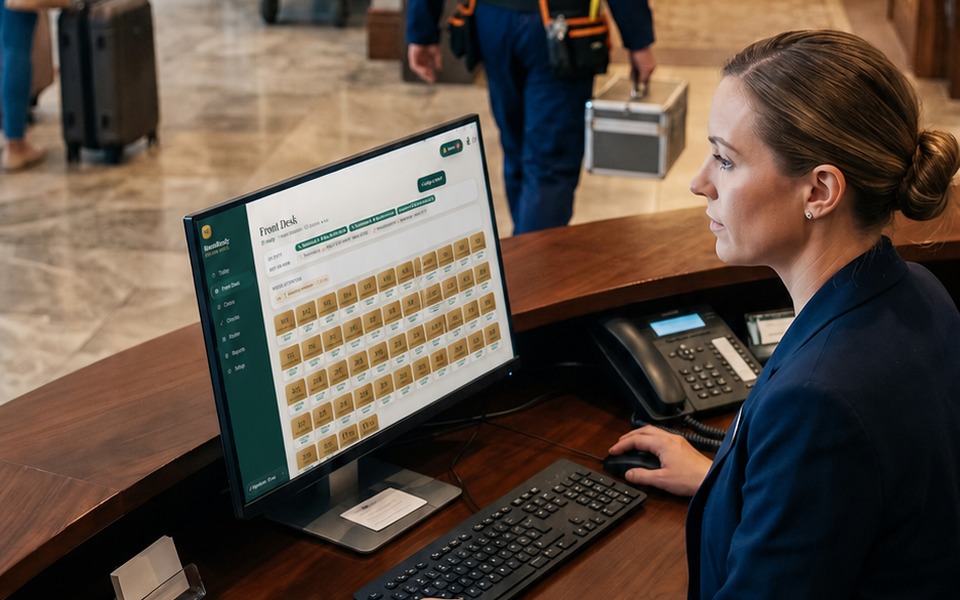
Front Desk finishes the check-out. Before the room goes back to the next guest, it must pass a room readiness check.
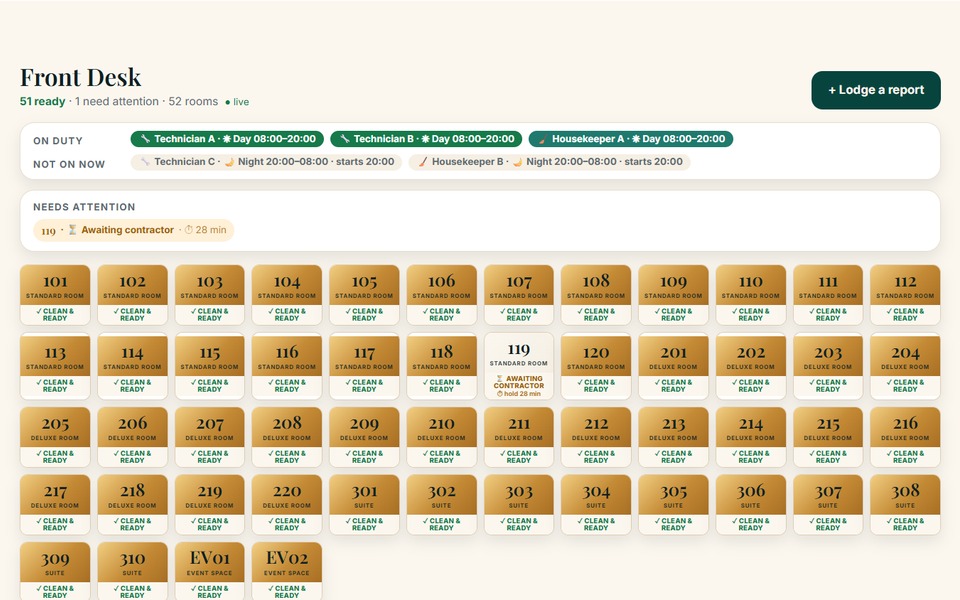
Front Desk taps the room and requests the check. If the next guest is close, the room is marked urgent.
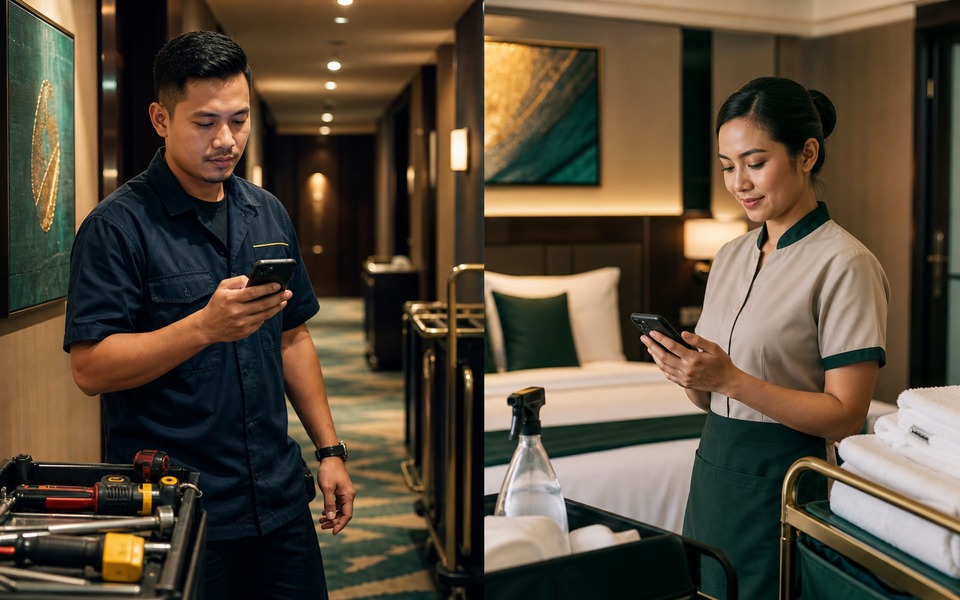
Maintenance and housekeeping receive the alert at the same time. Each opens the app, completes their checklist, taps Complete, and the Front Desk board updates instantly.
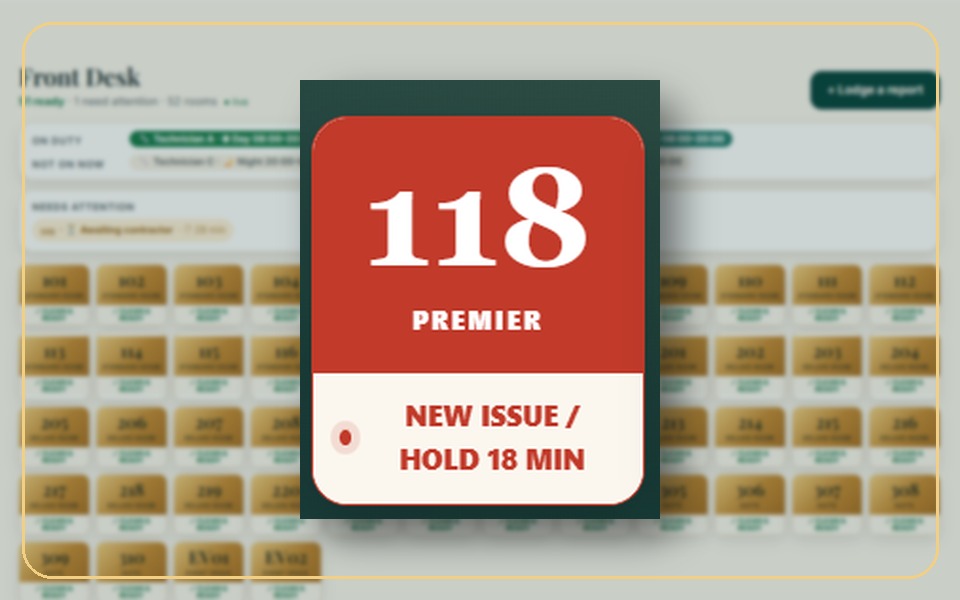
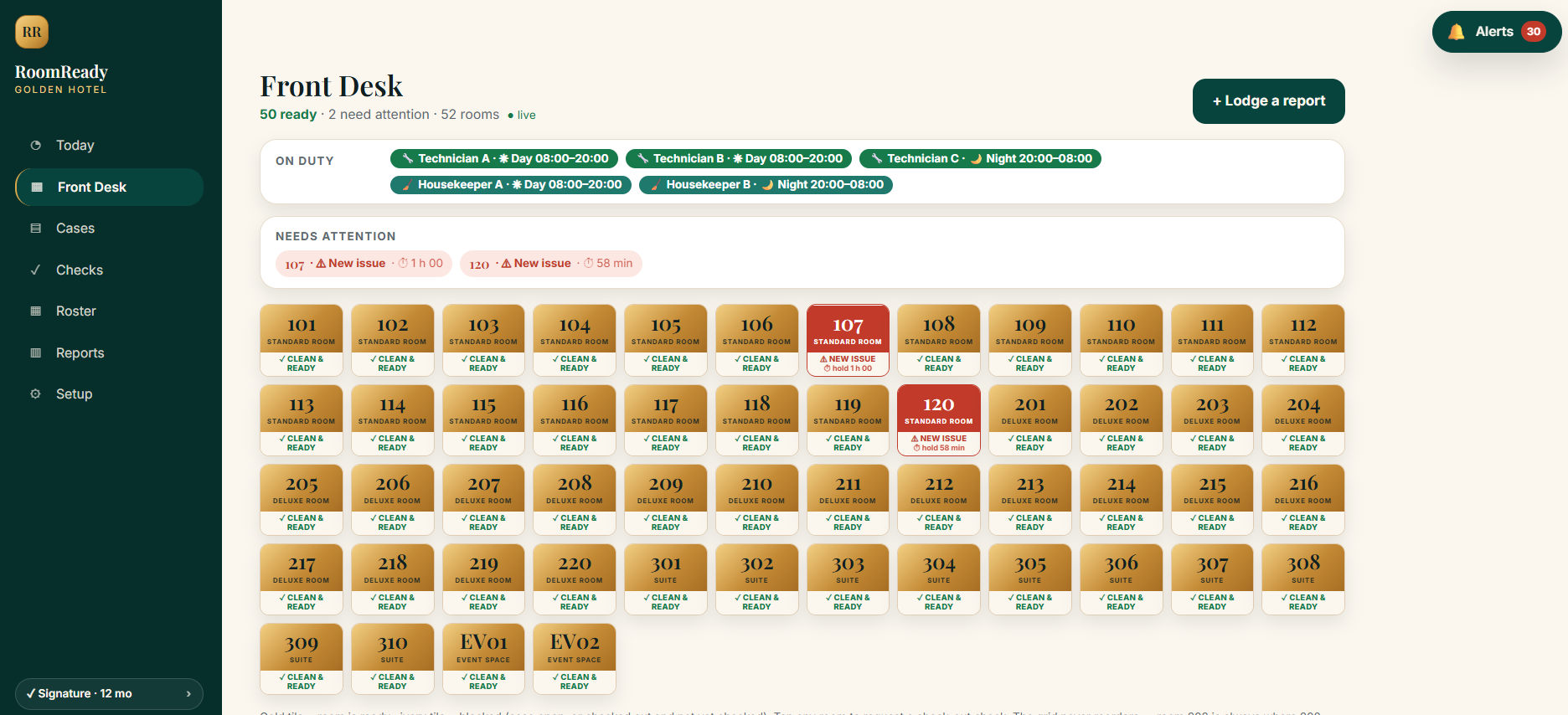
If any item fails, the room flashes red on the board with a hold timer. It cannot be treated as ready until every fault is closed.

Front Desk sees the risk before assigning the next guest. The fault stays internal: repaired, recorded and prevented from becoming a complaint.
Product in motion
RoomReady is built around the actual hotel handover: a front-desk room rack on desktop, case and check records for managers, and a lightweight mobile app for maintenance and housekeeping.
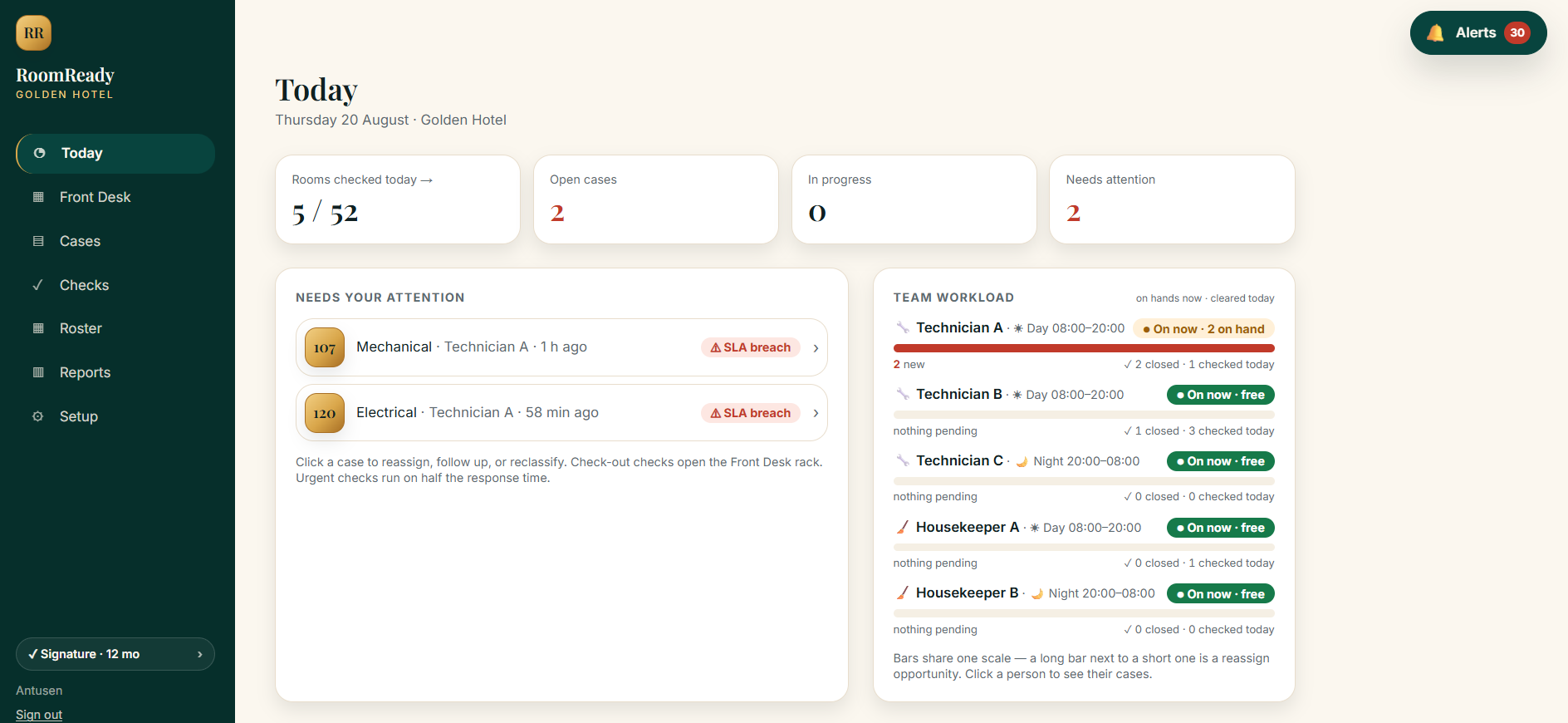 Today dashboard
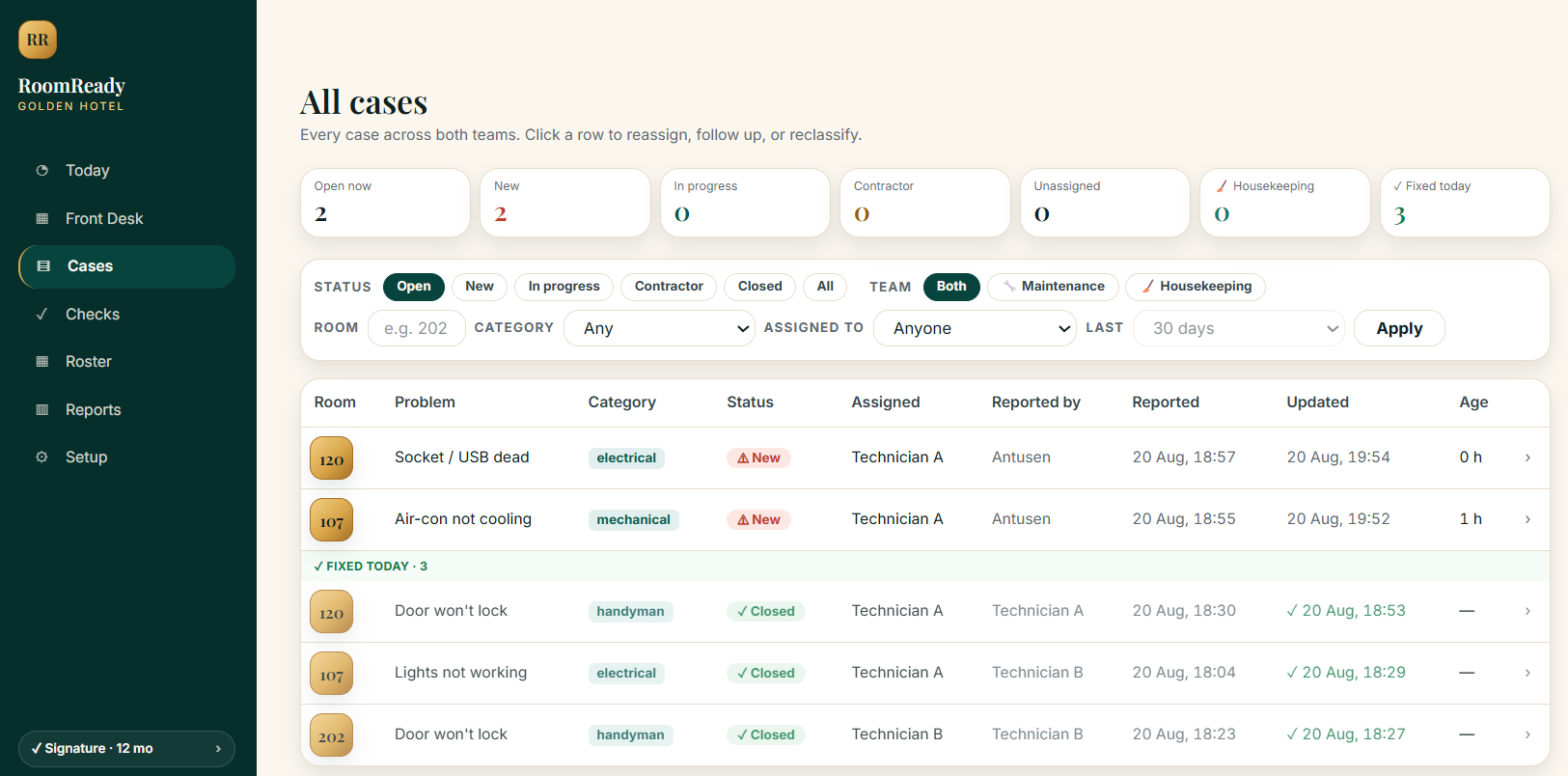 Cases across teams
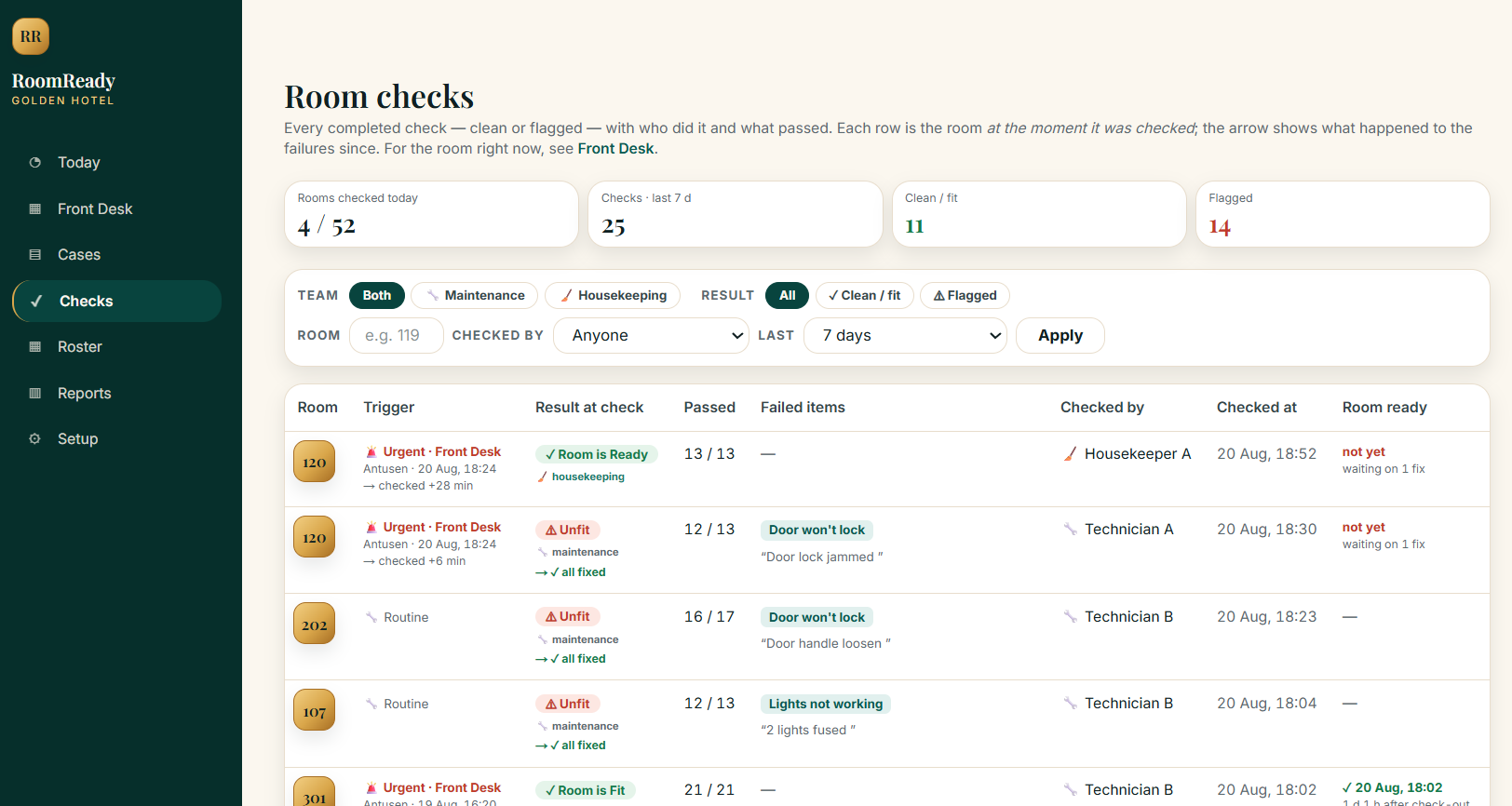 Room check records
Maintenance and housekeeping receive alerts, open the room, complete their checklist, add proof when needed, and update Front Desk instantly.
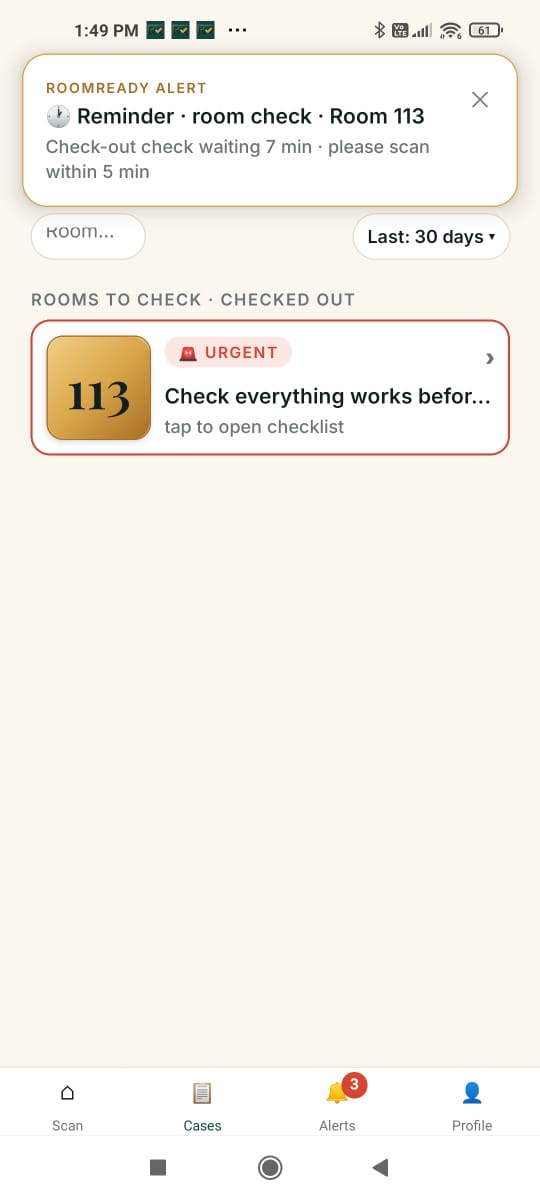 Urgent alert
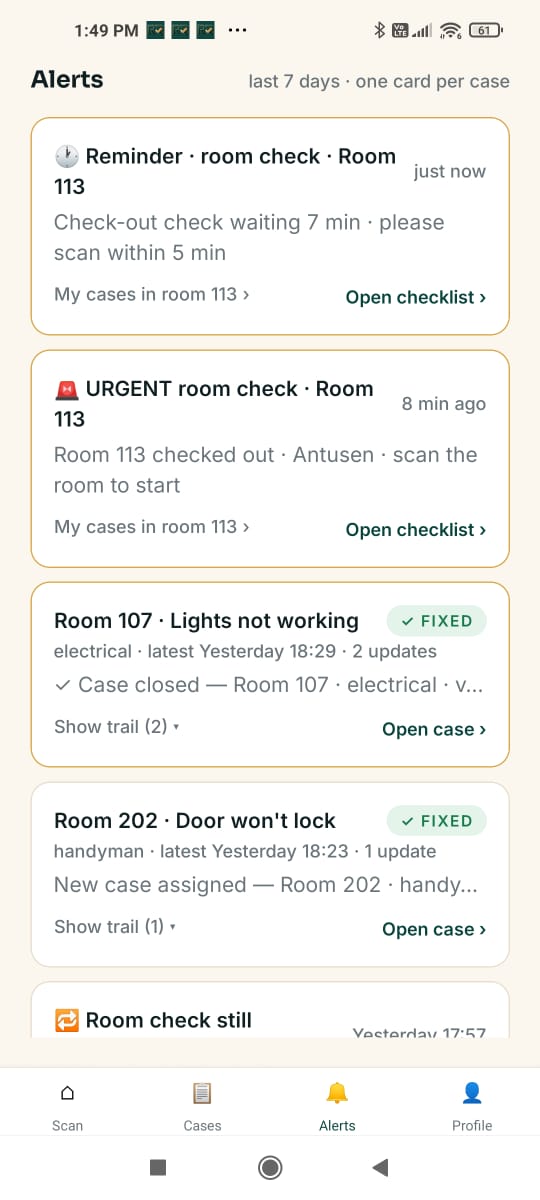 Alerts list
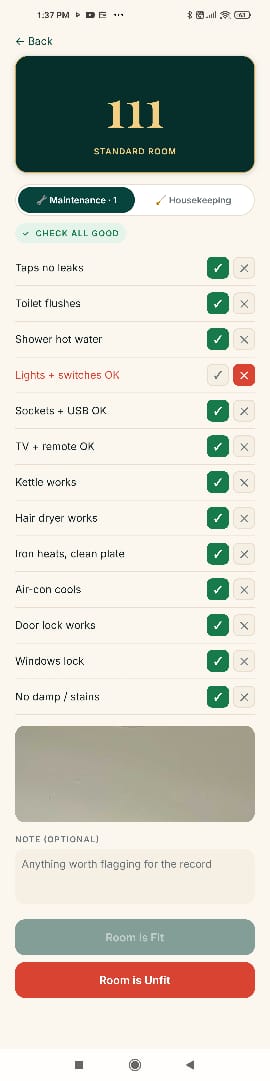 Checklist
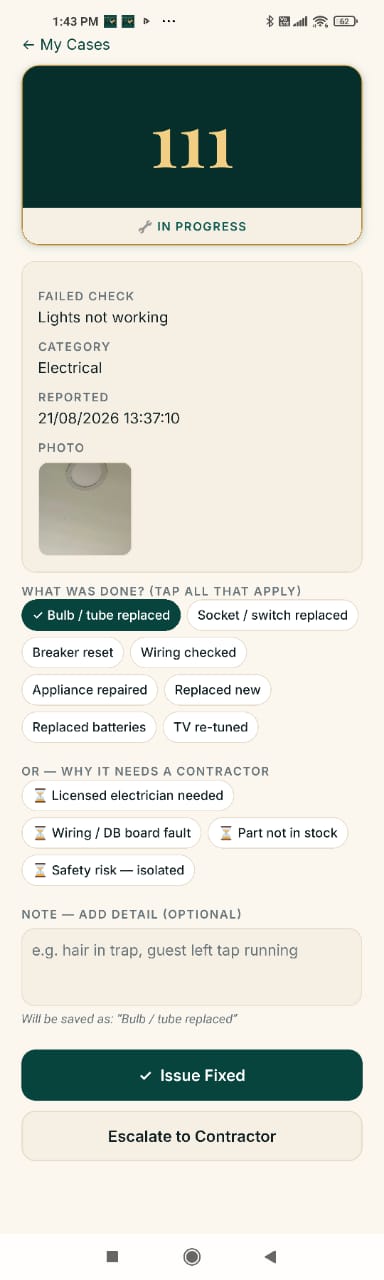 Fix record
Why RoomReady
RoomReady turns the handover after check-out into a controlled readiness gate. Front Desk, maintenance, housekeeping and management see the same room record, so a room is not treated as ready until the checks are done and the faults are closed.
Maintenance and housekeeping are notified immediately. The room is held until both teams complete their checklist and every fault is closed. Only then does the Front Desk see Room is ready.
Maintenance and housekeeping have separate checklists, categories, specialists and response times, but one shared room status.
Cases go to someone on shift right now, by specialty and lightest load, with off-days, MC and handover grace handled.
Set warning and breach times per team and per room type. Urgent check-out checks run on half the time, with follow-ups until closed.
Reports show faults caught by your own checks versus guest-reported faults, with risk class, timing and exportable ledgers.
Scan, tick, photo, submit. Offline-first, with phone-number sign-in and no email required for staff.
Rooms, printable door QR labels, checklist templates, team invites, roster and response times. We set it up with you remotely.
Prevention report
RoomReady is deliberately honest. It shows what your team caught before the guest saw it, what guests still reported, median time to fix, room-check coverage and every prevented incident in an exportable ledger.
Pricing
Everything included: both teams, check-out checks, auto-assignment, shifts, response times, alerts, reports, CSV export and room QR codes.
Who it is for
RoomReady is for teams that already care about room quality, but need a clearer way to trigger checks, hold problem rooms, prove what happened and keep the front desk aligned.
For properties where Front Desk, housekeeping and maintenance must agree a room is ready before the next guest arrives.
Useful when fast turnovers, lean teams and remote owners make it easy for small faults to slip into the next stay.
Best when you want to know which room, item or team pattern keeps creating complaints, refunds and room moves.
FAQ
Technicians and housekeepers use a lightweight phone app: scan, tick, photo, submit. Managers and front desk use the web portal in any browser.
The manager invites each person by phone number and gives them a one-time 8-character password. On first sign-in they set their own. No SMS codes, no email needed for staff.
Not yet. Today the door QR is for staff checks. Guests report at the front desk, and the front desk lodges it in one tap. Guest self-reporting is on the roadmap.
You decide. Set warning and breach times for maintenance and housekeeping, and override them for specific room types. Urgent check-out checks run on half those times. After a breach, RoomReady keeps reminding the responsible person until the job is closed, unless you switch that off.
Work is assigned to whoever is on shift at that moment, with 2-shift, 3-shift or custom patterns, off-days, MC and handover grace handled. If nobody is on shift, the manager is alerted.
No. RoomReady does not automatically connect to your PMS or receive check-out notifications from it. Your booking flow stays unchanged: after a guest checks out in your PMS, Front Desk opens RoomReady and triggers the room check in one tap.
Sales, onboarding and support are available in English, Chinese and Bahasa Melayu. The app and portal interface is English today; Bahasa Melayu and Chinese interfaces are next.
When you subscribe, your card is captured upfront and the first 7 days are included. If you cancel before day 8, you are not charged. If you continue, your selected term starts automatically and your card is charged the full upfront amount for that term on day 8. When a paid term ends without renewal, the account becomes read-only: every case, check and report stays visible, but staff cannot file new ones until you renew.
You can cancel any time in Setup by switching off renewal. There is no phone call, notice period or sales discussion. Cancellation stops the next renewal; it does not shorten or refund the upfront paid term after the 14-day cooling-off period. Your account stays fully active until the end of the paid term. After that, it becomes read-only: your rooms, checks, cases and reports remain visible, but your team cannot create new checks until you renew. If you are closing temporarily for renovation, monsoon season or low-season maintenance, use Pause instead of cancelling. While paused, billing stops, the account becomes read-only, and the unused days are added to the end of your term. You can pause for up to 60 days per term.
Your card is captured when you subscribe, the first 7 days are included, and the first payment for your selected term runs automatically on day 8 unless you cancel before then. A 12-month term is charged as 12 months upfront; a 6-month term is charged as 6 months upfront. From that first payment, you still get a 14-day cooling-off period. During those 14 days, you can cancel and receive a refund of what you paid, minus the days already used. After the cooling-off period, paid terms are non-refundable because longer terms are priced lower in exchange for a longer commitment. For example, if you choose the 12-month annual term and cancel in month 7, the account remains active until the end of month 12, but the unused months are not refunded. This cooling-off policy applies to the first paid term only, not renewals or custom plans.
Start with your own rooms
Start the 7-day trial with your card upfront. Setting up your rooms and printing your door QR codes takes about ten minutes and you can do all of it yourself — and if you would rather we walked you through it, just ask. Your first charge for the selected term runs automatically on day 8 unless you cancel before then.
